

Dead Pages Report
The Dead Pages report surfaces pages on your site that currently get zero clicks from search but used to get meaningful traffic. These are pages that once performed well but have since fallen off, wasting crawl budget and potentially dragging down your site's overall quality signals.
For each dead page, you get three choices: revive it with fresh content, redirect it to a better page, or remove it entirely. The report gives you the data to make that decision.
See it in action
What the report looks like
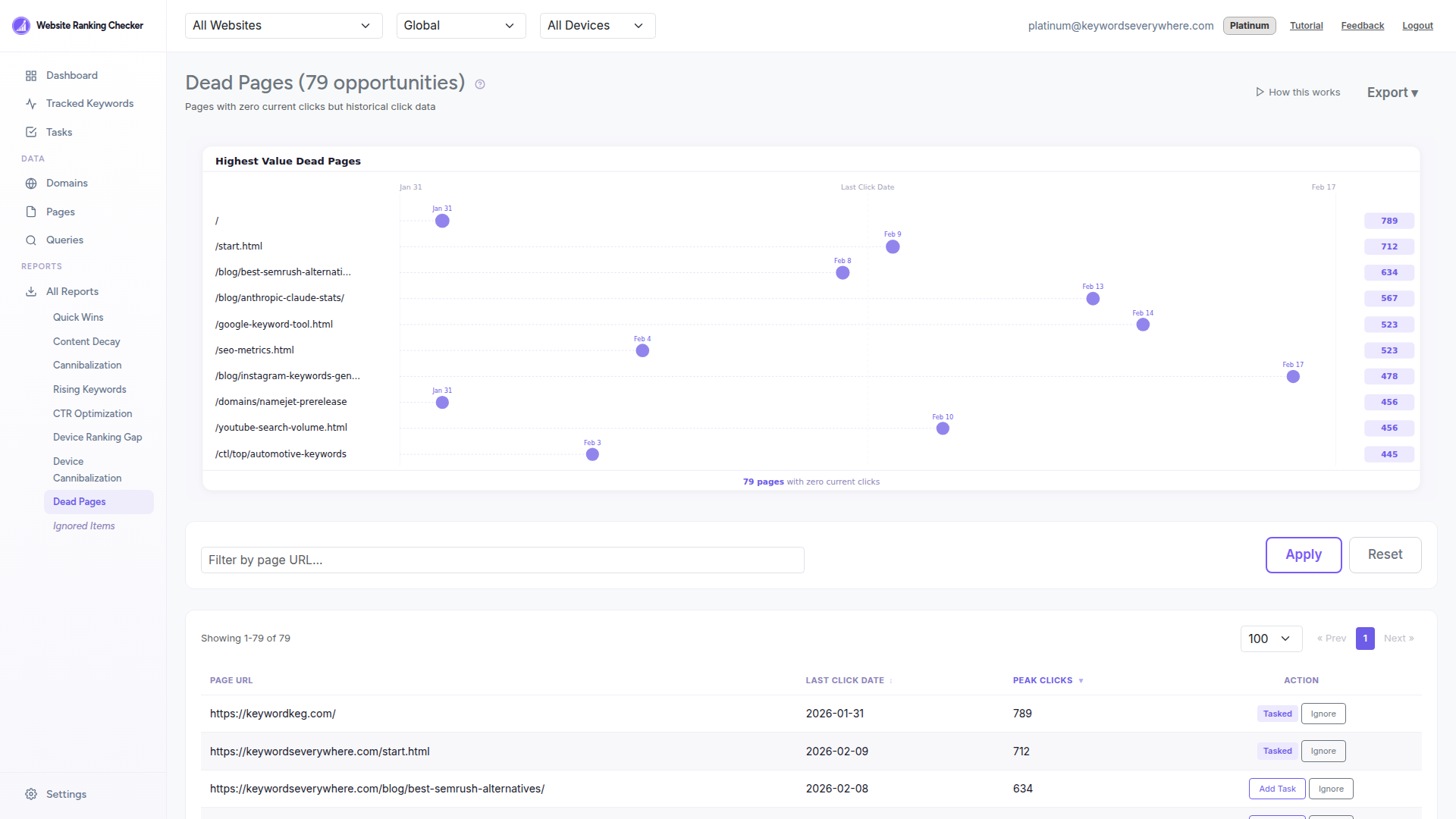
Each row shows a page URL alongside its peak historical clicks and the date it last received a click. Pages with higher peak clicks had more potential and are better candidates for revival.
What the report shows
Page URL - The page that has stopped receiving search traffic. Click to review it.
Last Click Date - When the page last received a click from search. Helps you understand how long it has been dead.
Peak Clicks - The maximum clicks this page received in any historical period. Higher peaks indicate pages that were once valuable.
How to use it
Sort by peak clicks to prioritize pages that had the most traffic potential.
Check the last click date - if it was recent, the page may recover on its own. If it has been months, action is needed.
Revive - If the topic is still relevant, update the content with fresh information, fix any technical issues, and add internal links from stronger pages.
Redirect - If you have a better page covering the same topic, 301-redirect the dead page to the active one to consolidate authority.
Remove - If the content is outdated and the topic is no longer relevant, consider removing the page to reduce crawl waste.
How it is calculated
The report finds pages with zero clicks in the current 30-day period but more than 10 clicks in the previous period (days 30-59 ago). This ensures we only surface pages that genuinely had traffic, not pages that never performed.
Results are sorted by peak clicks descending so the most impactful dead pages appear first. Data refreshes daily from ClickHouse.
Ready to clean up dead pages?
Connect Google Search Console and find pages that need attention. Free for all Keywords Everywhere users.