

Device Cannibalization Report
The Device Cannibalization report finds keywords where Google's crawler picks a different landing page on desktop than it does on mobile. When Google cannot decide which page to show, it splits signals between them - hurting rankings on both devices.
This usually indicates confusing site architecture or responsive design issues. The fix is either to consolidate into one consistent page or to intentionally differentiate the pages for different device experiences.
See it in action
What the report looks like
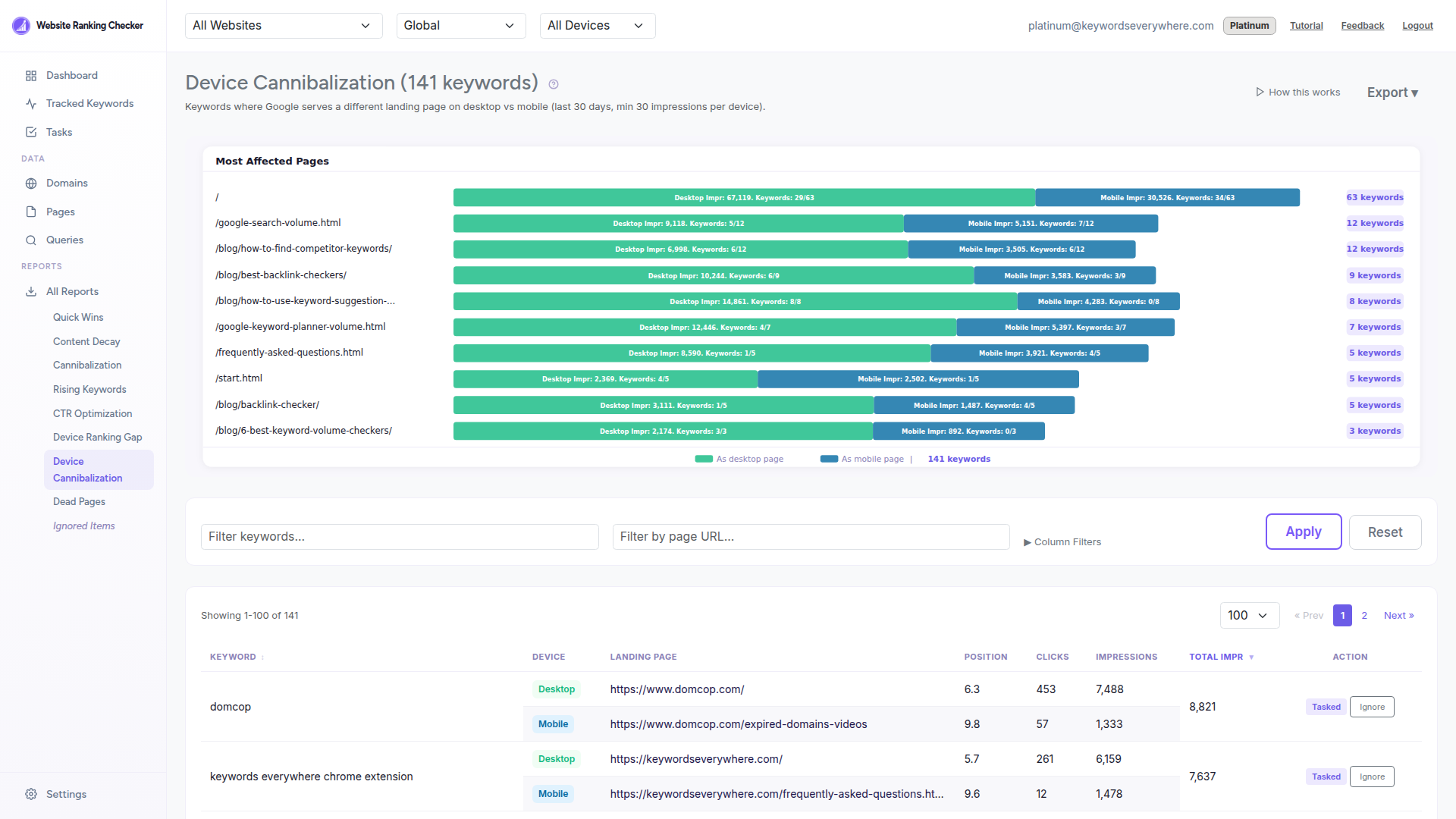
Each keyword shows two rows - one for desktop and one for mobile - with the different landing page URLs, positions, and traffic data for each device side by side.
What the report shows
Keyword - The search query where different pages are served per device.
Device - Desktop or Mobile badge for each row.
Landing Page - The URL Google serves on each device. When these differ, you have device cannibalization.
Position - The ranking position on each device.
Clicks and Impressions - Traffic data per device so you can see where the impact is.
Total Impressions - Combined impressions across both devices, showing total opportunity.
How to use it
Compare the two landing pages for each keyword. Are they the same content at different URLs, or genuinely different pages?
Check for redirect issues - a common cause is mobile redirects sending users to a different URL than the desktop version (e.g., m.example.com vs www.example.com).
Consolidate if the pages cover the same topic: pick the stronger one, 301-redirect the other, and ensure responsive design serves the same URL on both devices.
Differentiate if the pages intentionally serve different experiences: use proper hreflang or ensure each page is optimized for its target device.
Add it as a Task to track progress. The task completes when Google serves the same page on both devices.
How it is calculated
The report identifies keywords where Google serves a different landing page on desktop compared to mobile. It requires at least 30 impressions per device and 100 total impressions to filter out noise from low-traffic keywords.
This is a cross-device report - it queries desktop and mobile data separately from ClickHouse keyword_data (which includes the landing page column) and compares results in PHP. Results are sorted by total impressions descending. Data refreshes daily.
Ready to fix device cannibalization?
Connect Google Search Console and find where Google is confused about your pages. Free for all Keywords Everywhere users.