

Quick Wins Report
The Quick Wins report surfaces keywords where your site ranks at positions 11-15 (the top of page 2) with significant search impressions. These are your lowest-effort, highest-impact opportunities - a small push in on-page SEO, internal linking, or content refreshing could move them onto page one.
Keywords on page 2 get almost no clicks. Less than 1% of searchers go past page one. Moving from position 11 to position 10 can increase your traffic for that keyword by 5-10x.
See it in action
What the report looks like
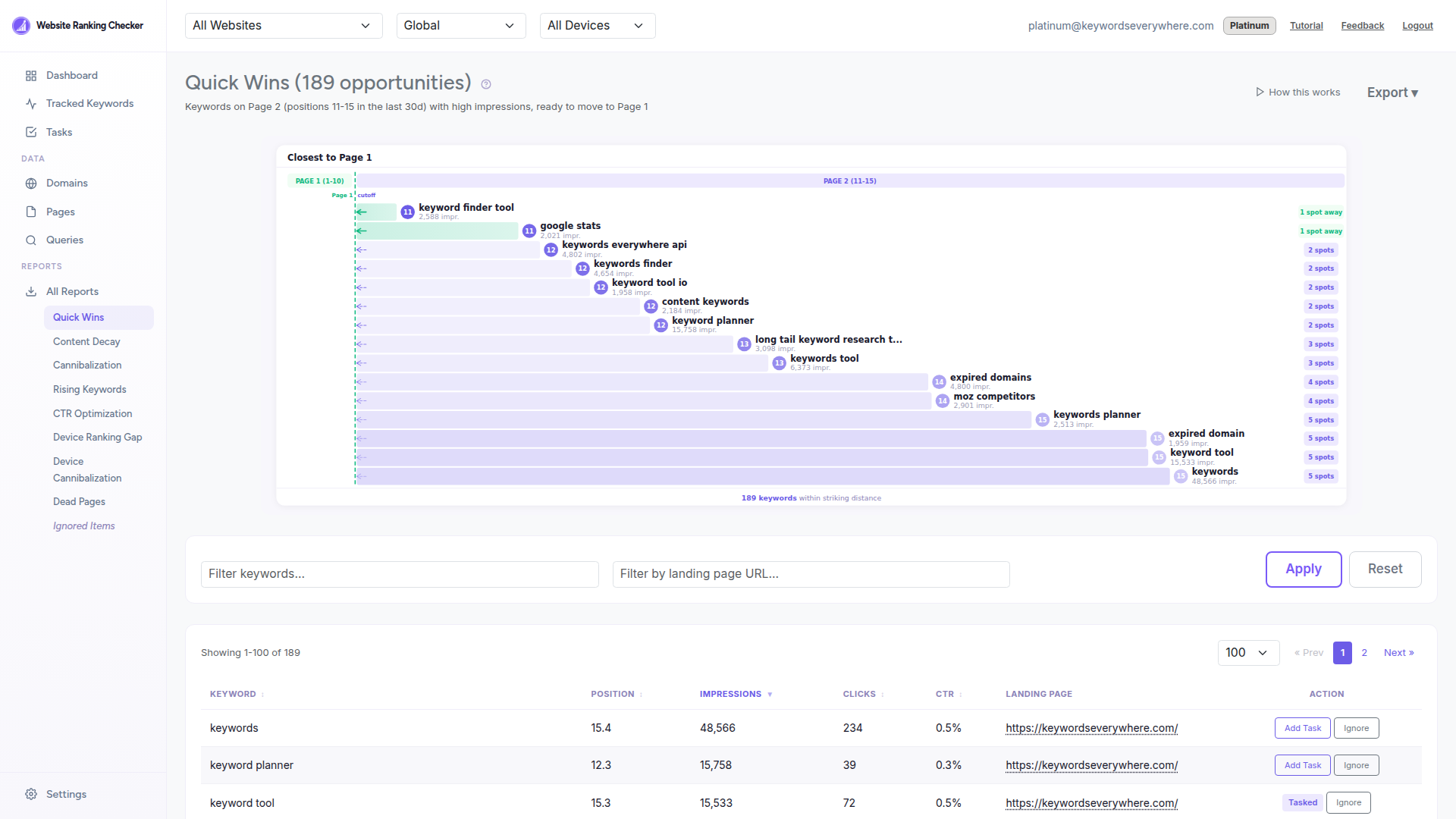
At the top, a visual chart shows your keywords on a runway, sorted by how close they are to page one. Below that, a detailed table lets you sort, filter, and take action on each opportunity.
What the report shows
-
Visual runway chart - Shows how close each keyword is to page one, sorted by proximity. Keywords at position 11 appear closest to the green "Page 1" zone.
-
Keyword - The search query where you are almost on page one.
-
Position - Your current average ranking, impression-weighted over the last 30 days.
-
Impressions - How many times Google showed your result. Higher impressions mean more potential traffic when you reach page one.
-
Clicks and CTR - Current traffic and click-through rate. Even at positions 11-15, some keywords get clicks, which shows intent.
-
Landing page - Which page on your site currently ranks for this keyword. Click it to review the page directly.
How to use it
-
Sort by impressions to find the keywords with the most search demand. These give you the biggest traffic upside when you reach page one.
-
Review the landing page by clicking the URL. Check if the content fully answers the searcher's intent. Often, adding a section or improving the depth of coverage is enough.
-
Strengthen internal links - Add links to the ranking page from your other high-authority pages. This is one of the fastest ways to boost a page from position 12 to position 9.
-
Improve the title tag and meta description - A more compelling title can improve CTR even at page 2 positions, and click signals can help rankings.
-
Add it as a Task - Click the "Add Task" button to track your progress. The task will automatically complete when the keyword reaches page one.
How it is calculated
The report looks at all tracked keywords with a best position between 10.5 and 15.5 over the last 30 days. Only keywords with at least 100 impressions are included to filter out low-value queries. Results are pre-filtered to the top 100 by impressions and sorted by impressions descending.
Data refreshes daily from your Google Search Console. The report is generated automatically by the daily cron and cached in the database for instant loading.
Ready to find your Quick Wins?
Connect Google Search Console and see your opportunities in minutes. Free for all Keywords Everywhere users.