


You googled your blog again this week, didn't you.
Maybe incognito, maybe not. You searched the keyword you wrote that one post for, scrolled until you found yourself, felt a small spike of pride or despair, and closed the tab with no record of what you saw.
Every blogger does this. It's the world's most popular rank tracking method, and it produces exactly nothing: no history, no trend, no alert when things slide, and a number that was personalized to you anyway.
Meanwhile, here's what you actually own: dozens of posts, each ranking for a fan of queries you mostly never chose, moving every single day, in niches where content ages fast.
A blog is a portfolio of small ranking bets. Nobody would run a stock portfolio by occasionally googling one ticker.
So here's the blogger's version of doing it properly: a 15-minute setup, free, that watches every post's rankings daily and takes 15 minutes a month to act on. I'll use our own tool in the walkthrough because it's free and I built it, but I'll show the manual route too, and the honest catches of both.
- Spot-checking your rank in Google is personalized, unrecorded, and misleading. Tracking means history, daily data, and alerts.
- Each post ranks for far more queries than the one you wrote it for. Track the primary query per money post, plus the striking-distance surprises GSC reveals.
- The free stack: Google Search Console (the data) + a GSC-powered tracker (the automation) + 15 minutes a month (the decisions).
- Thresholds stop the noise: alert on 3+ positions for money posts, ignore long-tail wobble entirely.
Why bloggers need tracking more than anyone
Three facts about blogs make tracking disproportionately valuable for you.
Your posts rank for queries you never chose. You wrote "best hiking boots for wide feet" targeting one phrase. Google had other plans: that post now shows for dozens of variants, questions, and adjacent queries. Our smallest site appears for 464 different queries in a month; a mature blog post routinely ranks for 20-50 on its own. The queries you don't know about are where your growth hides.
Blog content decays faster than most. Listicle and how-to niches churn: competitors refresh, years in titles roll over, SERP features land. A blog that doesn't watch its winners loses them quietly. Across our own portfolio, 40% of pages with real traffic declined month-over-month.
Your publishing loop needs the feedback. You're deciding every week what to write next. Rankings are the scoreboard for what already worked: which posts are one push from page 1, which topics Google trusts you on, which experiment flopped. Writing without that feedback is publishing into fog.
The 15-minute setup
Minutes 0-5: Google Search Console. If your blog isn't verified in GSC yet, do that first: search.google.com/search-console, add your domain, verify via your DNS or your blogging platform's settings (WordPress, Ghost, Squarespace, and Blogger all have documented paths). Already verified? Skip ahead. GSC is non-negotiable either way: it's the source of truth everything else reads.
Minutes 5-8: connect a tracker. Ours: log in with your Keywords Everywhere API key, click Connect Google Search Console, approve the read-only permission. Your ranking data starts flowing in minutes, with about 75 days of history backfilled automatically.
Minutes 8-15: pick your keywords. The tracker's Queries view now lists every real query your blog appears for, sorted by clicks. Tick the ones that matter (next section) and hit Track. Or let auto-track grab your top 100 by clicks and prune the list afterward.
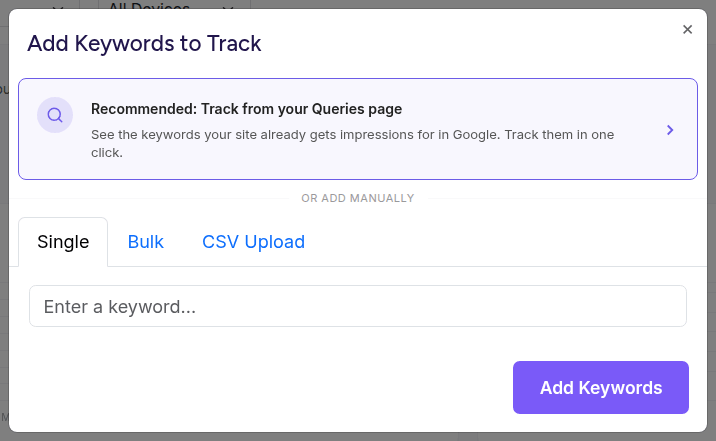
Track from your real GSC queries first; type keywords by hand only for targets you don't rank for yet.
That's the whole setup. From here, positions snapshot daily without you.
Which keywords to track per post
Don't track every query (the fan is huge and mostly noise). Per post that you care about, track:
The primary query (1 per post). The phrase the post exists to win. If it's a money post (affiliate, product, service), this one gets the tightest watch.
The striking-distance surprises (0-3 per post). Open GSC's Performance report, filter by the post's URL, and read its actual queries sorted by impressions. Anything relevant sitting at position 8-20 with real impressions is a growth candidate you didn't know you had: track it. (Finding these is a whole discipline.)
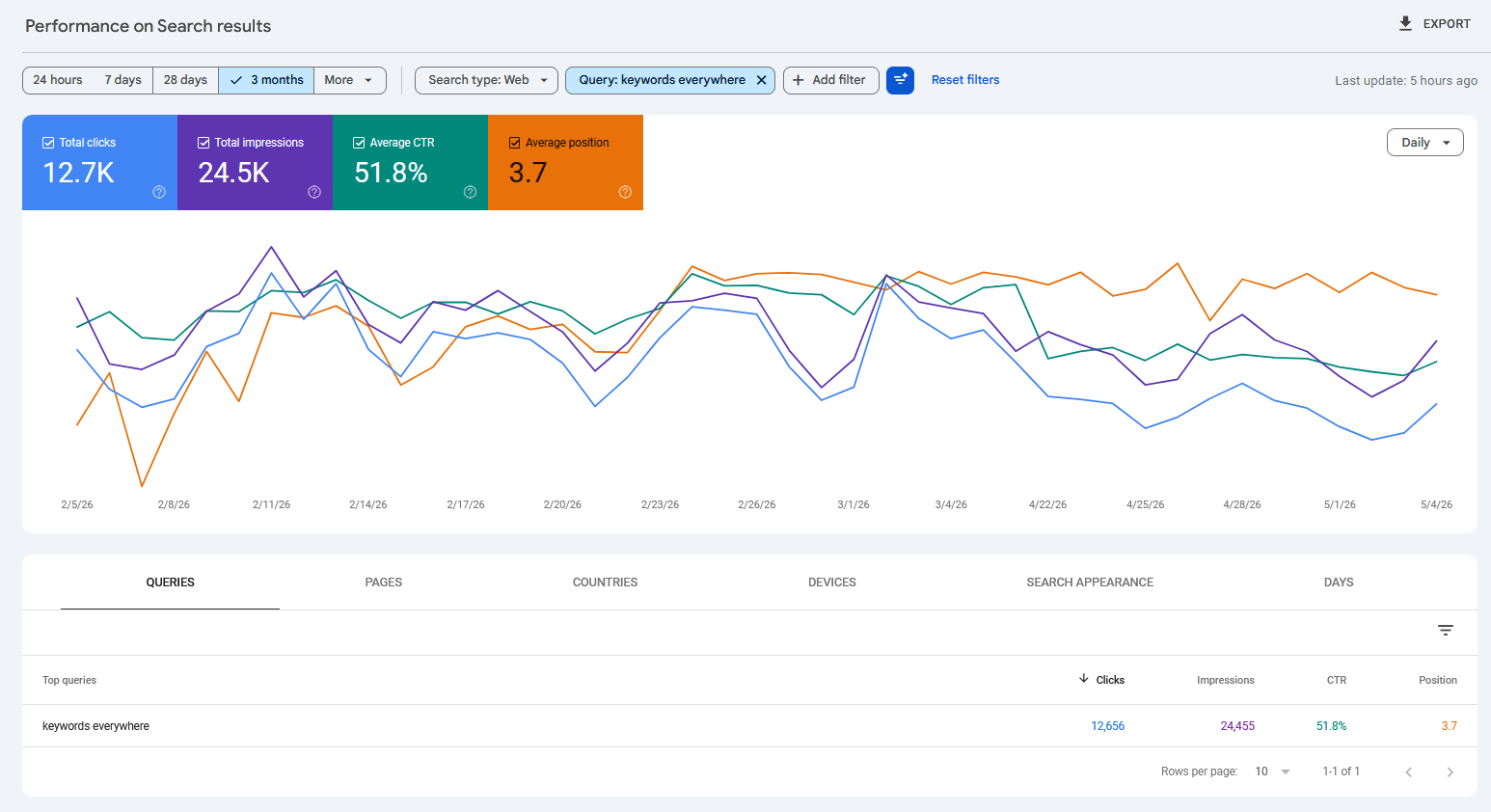
Filter GSC to one post and read its real query fan. The position 8-20 rows are the ones worth tracking.
Skip: vanity giants ("marketing"), one-impression flukes, and queries where a big brand's pages own the SERP top to bottom.
For a 50-post blog, that lands you at 60-120 tracked keywords: your real portfolio, watchable at a glance.
Add your blog's name as a brand canary (a sudden brand drop means something structural broke), and you're done choosing.
Alert thresholds that don't cry wolf
The fastest way to abandon tracking is alerts that fire on noise, because rankings wobble daily by design.
The tiered thresholds we ship as defaults (the noise-floor reasoning):
- Money posts (top 10 positions): alert at 3+ positions, sustained. At position 5, three spots is real revenue.
- Striking distance (11-30): alert at 5+. Normal wobble here is 1-4 positions; five means something moved.
- Everything deeper: 10+ or nothing. Deep positions swing wildly and pay nothing; let them dance.
With those, a 60-keyword blog generates an alert email a few times a month, each one worth reading, instead of daily panic spam you'll unsubscribe from.
The monthly 15-minute ritual
Daily data, monthly decisions. Once a month, with coffee:
- Movers (4 min). What rose, what fell beyond threshold. Risen posts: could an internal link from them lift a sibling? Fallen posts: run the triage before touching anything.
- One quick win (6 min). Find your best position-11-15 keyword with real impressions and give its post one push: refresh the title, add the missing section, link to it from two strong posts. One per month compounds absurdly (the quick-wins math).
- Decay glance (3 min). Any formerly-good post trending down over 90 days? Schedule its refresh.
- Log (2 min). One line per action in a notes file. Next month you'll know what worked.
Fifteen minutes. The blog stops being fog.
The free stack, honestly
GSC alone is genuinely enough if you'll do the manual loop: it has every query, real positions, 16 months of history. What it lacks: daily per-keyword charts, alerts, and any concept of "tracked" keywords. If your blog is small and you check monthly, start here and stop reading.
GSC + our tracker adds the automation: daily snapshots, position history that outlives GSC's 16 months, tiered alerts, and the quick-wins and decay reports pre-computed. The honest catches: it needs a Keywords Everywhere subscription (that's what makes it free to offer: keyword metrics run on your existing credits, about 1 credit per tracked keyword per month), and it only tracks queries your blog already appears for, because it reads GSC rather than scraping. (The full KE-user setup.)
Paid scrapers (the $30-100/mo tier) buy you competitor tracking and keywords you don't rank for yet. Most bloggers don't need either until much later. The full comparison if you're shopping.
Blogger math: the tracked-keyword metrics for a typical 100-keyword blog cost about 100 KE credits a month, pocket change on any KE plan, and the tracking itself is free. Your rankings watch themselves between posts.
Common mistakes
Six blogger-specific tracking mistakes.
- Tracking only the keywords you wrote posts for. The surprises in GSC are half your upside. Read the real query list per post before choosing.
- Checking rankings by googling yourself. Personalized, unrecorded, and it slowly drives you insane. Why that number lies.
- Alerting on everything. Untiered alerts become unsubscribed alerts. Money posts tight, long-tail loose.
- Tracking but never pushing. The monthly quick-win push is where tracking turns into traffic. Data without the ritual is decoration.
- Judging new posts too early. New posts take weeks to settle into their real positions. Track from day one, judge at day 60.
- Forgetting the brand canary. Two minutes of setup that catches structural disasters (deindexing, hacks) same-day.
FAQ
- How do I check my blog's Google ranking?
- The reliable way is Google Search Console: it reports your average position for every query your blog appears in, from Google's own logs. For ongoing tracking with history and alerts, connect a GSC-powered rank tracker; spot-checking by googling yourself is personalized and leaves no record.
- How can bloggers track keyword rankings for free?
- Google Search Console is free and complete for manual checking. For automation, Website Ranking Checker is free for Keywords Everywhere subscribers: it reads your GSC data, tracks daily positions with history and alerts, and its quick-wins and decay reports run automatically.
- How many keywords should a blogger track?
- One primary query per post you care about, plus up to three striking-distance queries (positions 8-20 with real impressions) discovered in GSC, plus your blog's name as a canary. For a 50-post blog that's typically 60-120 tracked keywords.
- Why did my blog post drop in rankings?
- First check whether the drop is real: most one-day moves are noise, and half of big overnight drops recover within a week. If it's sustained, the usual blog causes are content decay (a competitor refreshed past you), a SERP feature absorbing clicks, or cannibalization between your own posts.
- Do I need a paid rank tracker for a blog?
- Usually not. Paid scrapers earn their fee when you need competitor tracking or keywords you don't yet rank for. For tracking your own posts' real positions, the free GSC-powered route has better data (Google's own averages) at zero cost.
- How long until a new blog post ranks?
- Typically weeks to months: impressions often start within days, first clicks within a few weeks, and stable positions around 2-3 months, varying hugely with your site's authority and the competition. Track from publish day so you can watch the climb instead of guessing.
Your whole blog's rankings, tracked while you write the next post
Connect your Search Console once and Website Ranking Checker watches every post's keywords daily: history, tiered alerts, quick wins, and decay checks, pre-computed. Free with the Keywords Everywhere subscription you already have. The 15-minute setup from this article, minus 13 minutes.
Set up your blog's tracking